Every online merchant knows the pain of high cart abandonment. But there is an even larger leak in your sales funnel that most analytics dashboards completely overlook: abandoned chat conversations.
A customer arrives on your store, opens the chat widget, and asks an intent-rich question: “Does the Italian Leather Weekender fit airline overhead bins, and can I get it delivered before Friday?”
On 95% of stores, the chatbot or live agent does something fatally friction-heavy: they type out a text answer and paste a URL link to the product page. And right there, the sale is lost.
The Link Redirection Trap (Why Traditional Widgets Fail)
Redirecting a customer out of the conversation back onto a standard product page introduces multiple conversion-killing micro-frictions:
- Context Switching: The customer must leave the conversational thread, reload a full product template, and re-orient their attention.
- Mobile Lag: On mobile devices, opening new tabs or navigating away often resets the chat drawer or loses the visitor's scroll position.
- Re-Selecting Variations: The customer often has to re-select size, color, or bundle options that they already specified in the chat.
- Attention Hijacking: Product pages have banners, related items, navigation menus, and popups that distract high-intent buyers away from completing the checkout.
When you force a shopper who is already in a conversation to click a link, browse a page, click "Add to Cart", and navigate to checkout, over 40% of conversational leads bounce before completing the order.
The Solution: Interactive In-Chat Product Cards
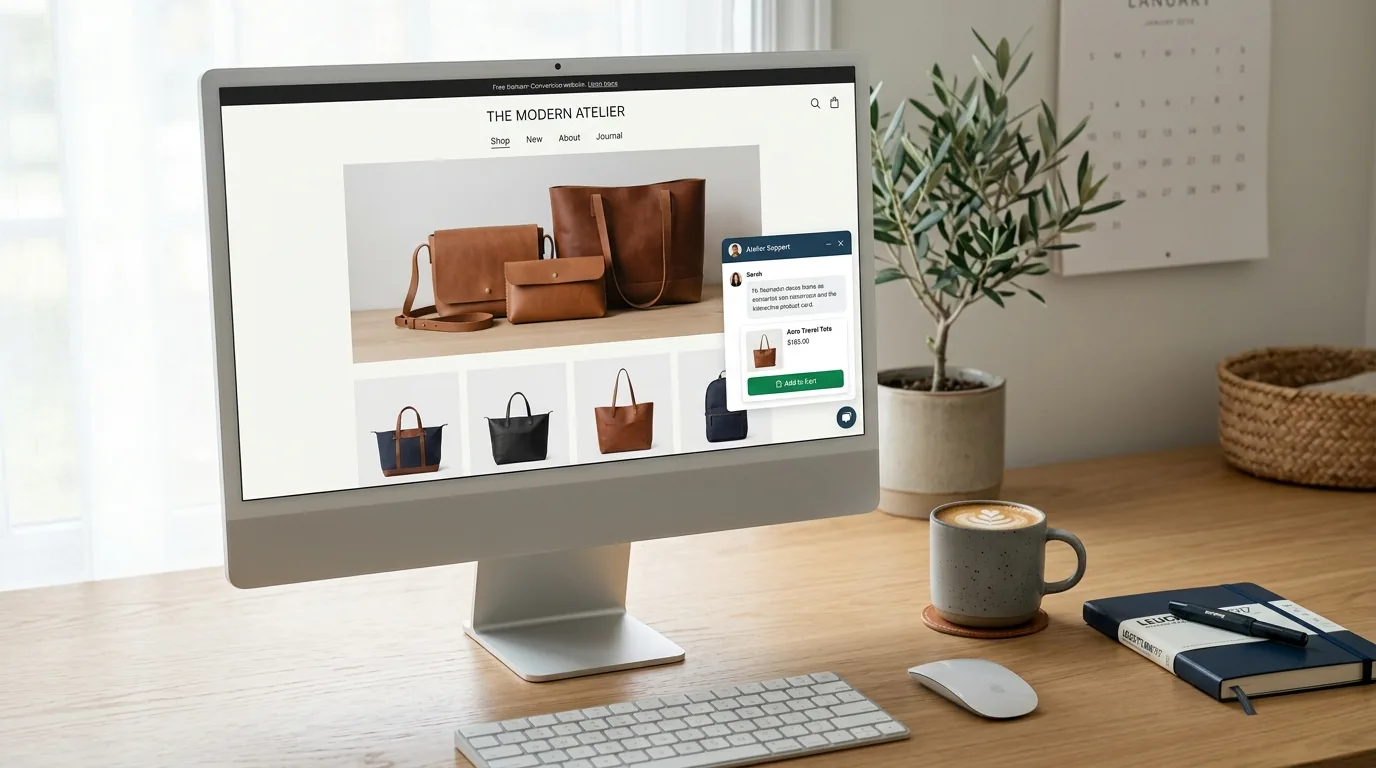
Conversational commerce succeeds when the transaction happens inside the flow of dialogue. Instead of a bare text link, the chat widget should render an interactive product card directly in the chat stream.
A high-converting in-chat product card includes:
- Real-Time Thumbnail & Pricing: Sourced directly from your live WooCommerce catalog.
- Dynamic Variation Selector: Allows the shopper to pick size, shade, or quantity without leaving the conversation.
- Instant "Add to Cart" CTA: Powered by an asynchronous cart bridge that updates the store's session cart in milliseconds.
- Direct Checkout Launch: A one-click secondary action that directs the shopper straight to the checkout page with their items pre-loaded.
4 High-Converting In-Chat Sales Triggers
1. The Sizing & Fit Inquiry
Customer: “I'm 5'11 and 180 lbs, should I get the M or L in the Merino Hoodie?”
AI Bot: Recommends size L based on customer fit data, and immediately renders the Merino Hoodie product card with size L pre-selected and an Add to Cart ($120) button.
2. The Out-of-Stock Pivot
Customer: “Do you have the Ceramic Planter in Terracotta in stock?”
AI Bot: Notes that Terracotta is restocking next week, but instantly displays two in-stock alternatives (Sandstone and Sage) with live price tags and instant cart insertion.
3. The Free Shipping Threshold Nudge
Customer: “How much is shipping to Chicago?”
AI Bot: “Standard shipping is $8, or free on orders over $75. You're currently $14 away from free shipping!”
The bot immediately attaches a curated add-on product card (e.g., Leather Care Balm for $16) that qualifies them for free shipping in one click.
4. The Automated Order Recovery
When an agent steps in via the Stylchat live takeover dashboard, they can insert product recommendation cards with a single slash-command (/product <sku>) directly into the customer's chat, closing custom deals on the fly.
How to Enable In-Chat Checkout with Stylchat
Setting up in-chat checkout on WooCommerce takes less than 3 minutes:
- Install the official Stylchat WooCommerce Plugin or connect your store via API credentials in your dashboard.
- Navigate to Widget Settings > Ecommerce.
- Toggle Enable In-Chat Product Cards & Add to Cart.
- Select your preferred action on cart addition: Keep Chat Open or Open Slide-out Cart / Checkout.
By eliminating page-hopping friction, merchants using Stylchat see an immediate 18% to 28% increase in conversational checkout completion.