Make your catalog conversational
Help visitors ask about your products instead of searching through every category themselves.
Help visitors choose with confidence. Bring your catalog into the conversation, guide product discovery and give shoppers a practical next step on your connected store.
Select a view or enlarge a product image
Help visitors ask about your products instead of searching through every category themselves.
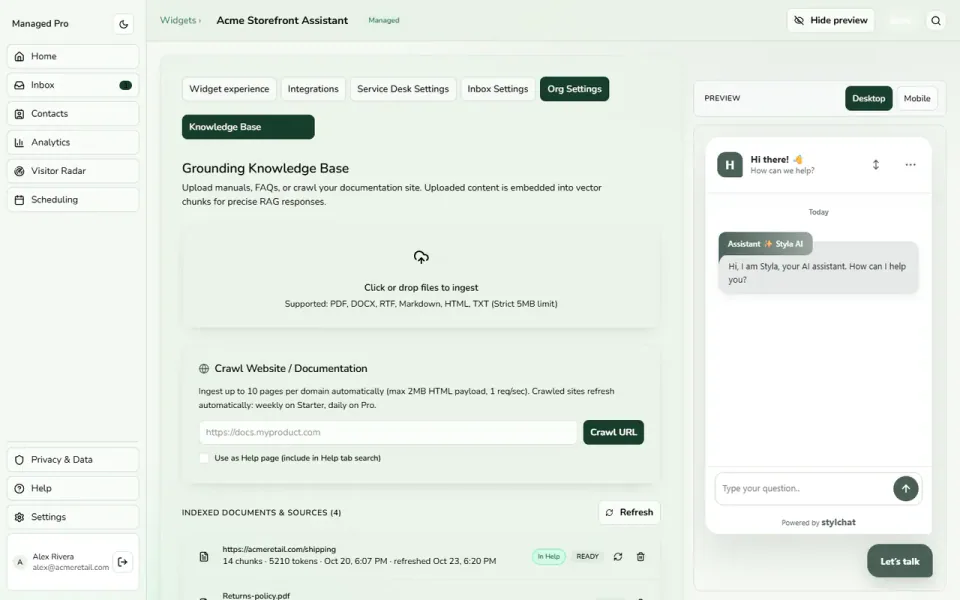
Use a product finder to ask a few useful questions and show matching products from your catalog.
Promote selected products, hide unsuitable items and choose whether to enable cross-selling.
A customer may know what they need without knowing which product to search for. Use a guided product finder to ask a few relevant questions and present matching options from the catalog. Make discovery feel more like useful assistance and less like another page of filters.
Your catalog is not a neutral list: some products deserve attention and others should stay out of a recommendation. Promote selected items, hide unsuitable products and choose whether cross-selling should be enabled. Keep the assistant’s recommendations aligned with the way you want to present your store.
A useful offer starts with the customer’s question. Configure a shared discount code or, on supported WooCommerce and Wix connections, a one-time code for the shopper. Add a label and minimum cart total so the incentive reflects the conditions you want to offer.
Connect the store workflow your business actually uses. Supported WooCommerce connections include catalog and order enquiries; other connections have their own supported catalog, coupon and checkout journeys. Keep the platform-specific capabilities visible so shoppers receive the right help and your team knows where the next step happens.
Practical capabilities for the way your team helps customers.
Help visitors explore the products you offer.
Show a relevant tooltip around supported browsing triggers.
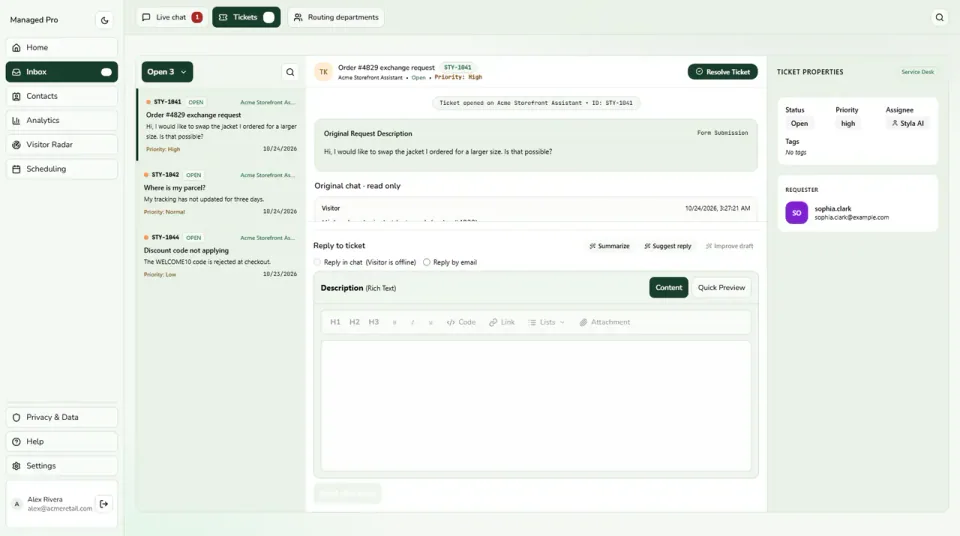
Bring a teammate into questions that need a closer look.
Check the integration guide for coupon, order and checkout support.
A practical journey through the tools your business can use.
A shopper asks for help finding a suitable product.
Catalog answers and guided questions help them compare options.
Use the supported store journey or bring in a teammate when needed.
Explore Ecommerce in a little more detail, or head to the help centre for setup guidance.
Visit the help centre ↗Create a Stylchat account, choose the appropriate Managed plan and open Ecommerce in your workspace. Use the setup guide to configure the parts you need, then try the customer journey before sharing it more widely.
Product rules let you promote selected catalog items, hide unsuitable products and choose whether to enable cross-selling. Use those controls alongside your product finder to keep shopping assistance aligned with your catalog and the products you want customers to discover.
Begin with a product question and a recommendation from your connected catalog. Then explore the integration guide for your store. Order lookups, coupon types and checkout handoffs vary by platform, so choose the capabilities supported by your connection.
Start with the way your customers need help. Add the tools and capacity that fit your team as you grow.