On this page
Brand & Identity
Brand • Section 1.2
Configure your business title, brand color swatches, contrast preview, logo upload, and AI assistant persona.
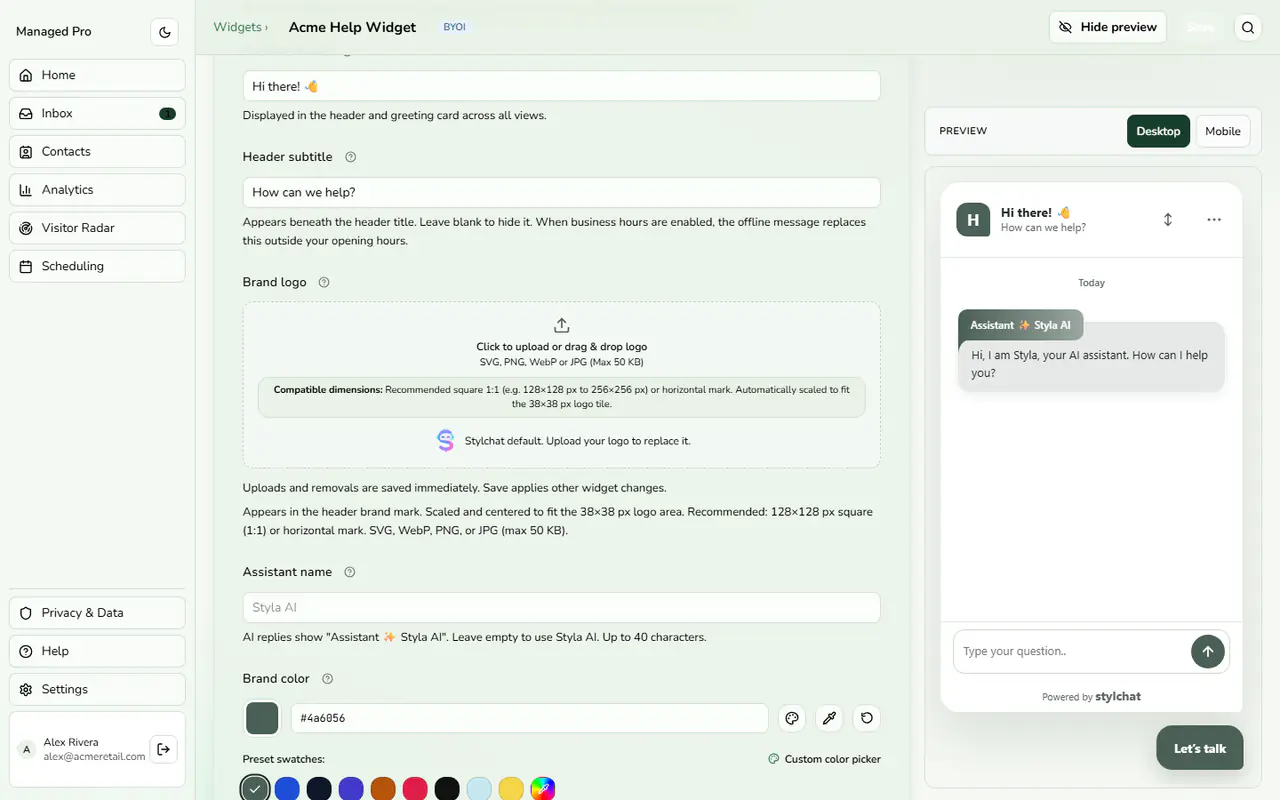
Brand settings: business name, subtitle and logo.
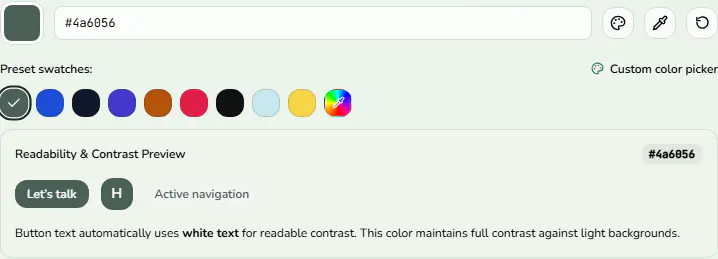
Brand color swatches and the readability preview.
Design Automation & Identity
Your brand identity is configured with full design automation:
Configuration & Options
- Business Name: Displayed prominently across the header title bar and top greeting card.
- Header Subtitle: Optional subtitle below the header. Outside business hours, your away message automatically substitutes this text.
- Brand Color & Swatches: Choose from 9 harmonized swatches (Forest Green, Royal Blue, Midnight Slate, Indigo, Amber Terracotta, Rose Crimson, Pitch Black, Ice Cyan, Warm Sunlight) or launch the custom pipette color picker.
- Readability & Contrast Preview: Stylchat dynamically calculates WCAG compliance, automatically applying dark or light ink tokens to ensure text readability across all surfaces.
- Brand Logo Upload: Upload an SVG, WebP, PNG, or JPG (max 50 KB) to brand the header mark. Recommended square 1:1 (128×128 px to 256×256 px).
- Assistant Persona Name: Customize the AI assistant name displayed on responses (e.g. “Assistant Styla AI”).