On this page
Routing Departments & Work Queue
Inbox
Send new chats and tickets to the right team.
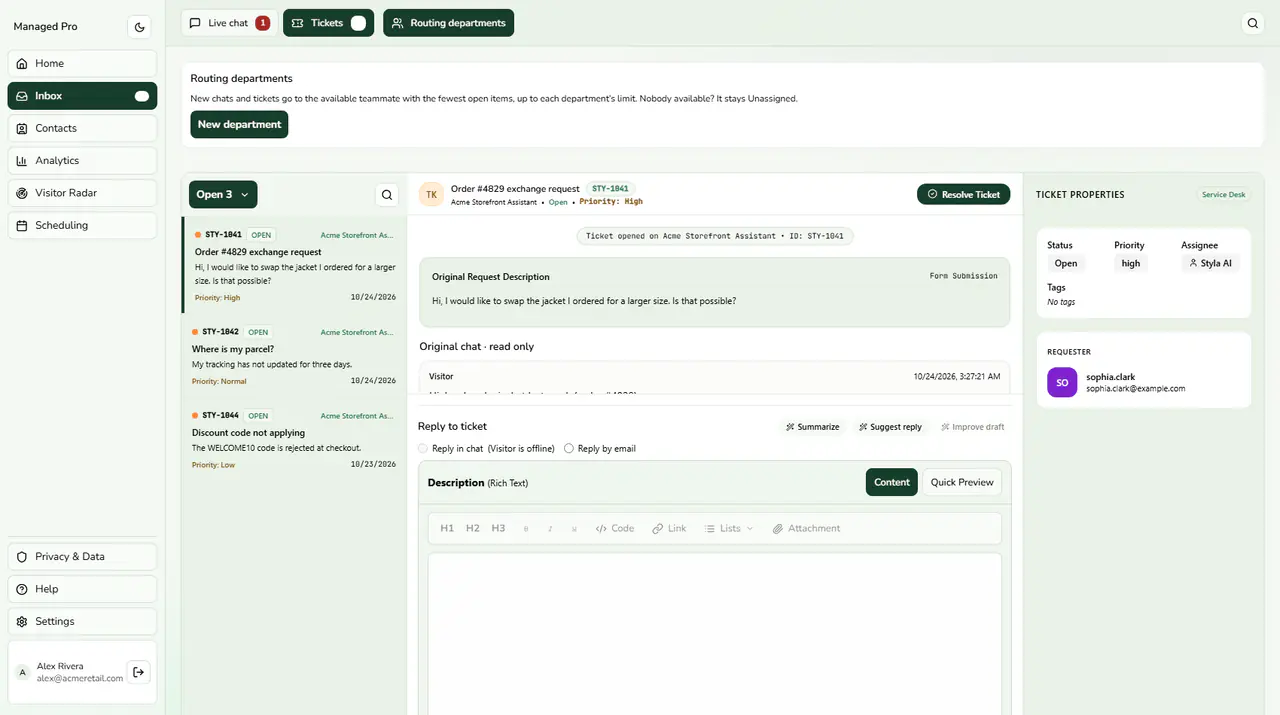
Routing departments above the ticket queue.
Departmental Inbox Routing
Route conversations automatically to specialized teams (Sales, Support, Billing).
Team Routing & Department Queues
Account owners see Routing departments at the top of the Inbox. New chats and tickets go to the available teammate with the fewest open items, up to each department’s limit. If nobody is available the item stays Unassigned. Use New department to create one.The work queue also offers saved views (All, Mine, Unassigned, Waiting, Needs reply, Snoozed, SLA overdue, Spam), search by message, ticket id or email, bulk actions on selected items, and keyboard shortcuts (press ? in the queue to list them).