On this page
Home Tabs & Omni Hub
Portal Screen • Section 1.4
Turn your widget into an all-in-one customer portal with multi-tab navigation and Omni Hub social shortcuts.
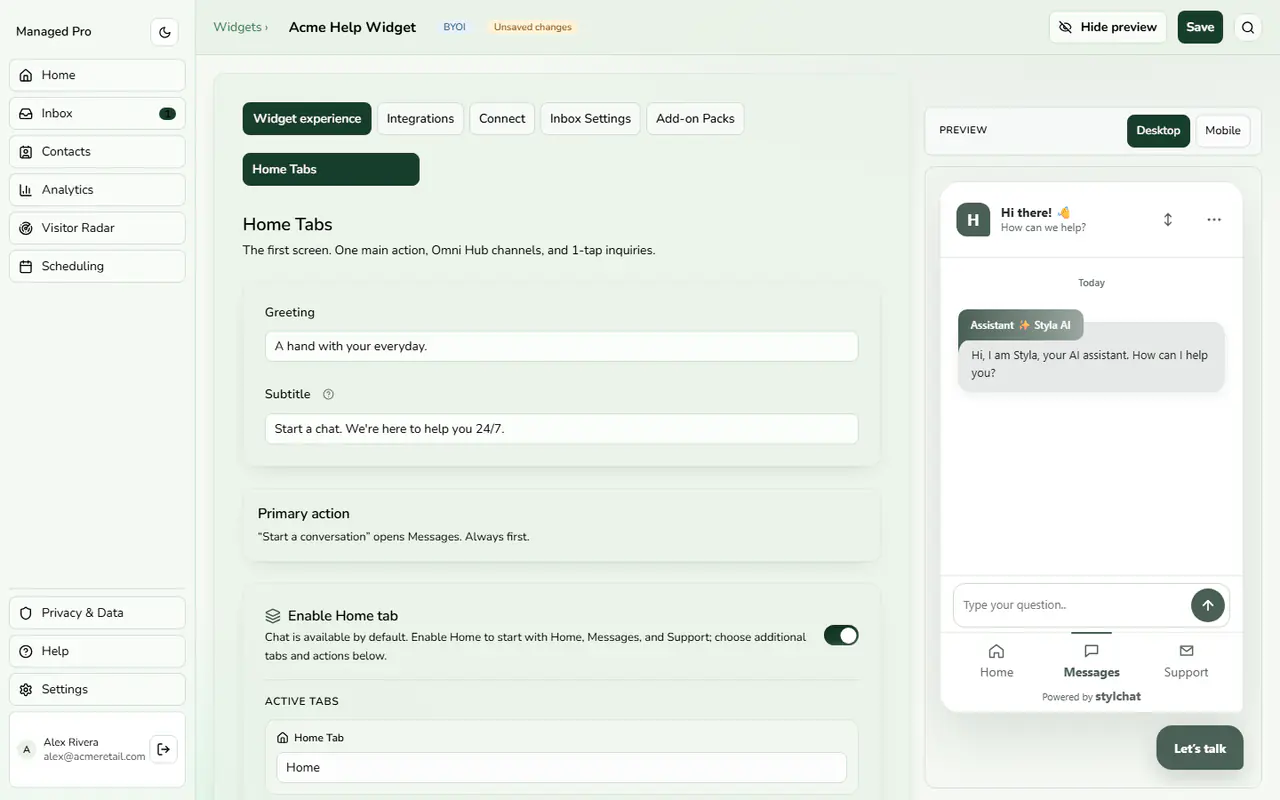
Home tab greeting and primary action.
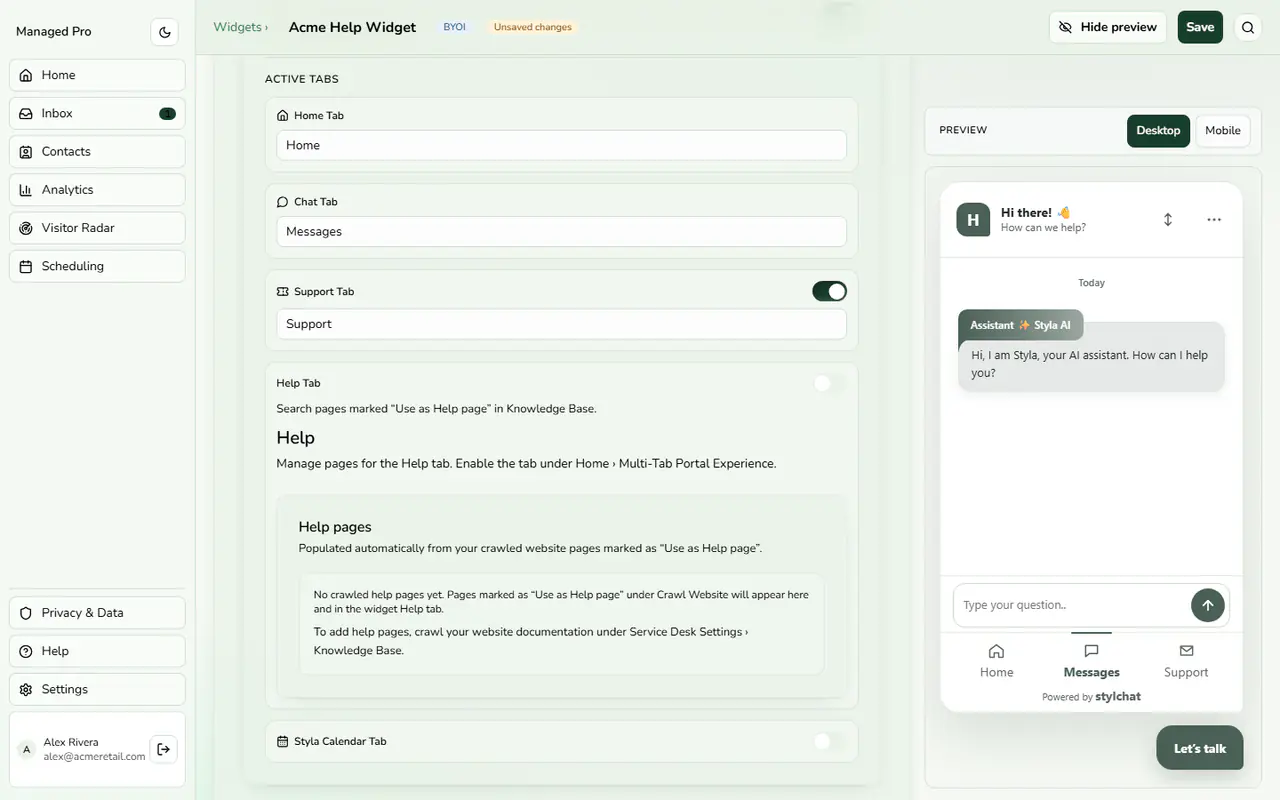
Active tabs and Help pages.
Home Screen & Omni Hub Controls
The Home Tab serves as your widget’s welcome screen. Visitors can start a conversation, jump into support tickets, or connect via their preferred messaging apps through Omni Hub:
Configuration & Options
- Enable Home Tab: Toggles the 3-tab portal navigation (Home, Chat, Support).
- Omni Hub Channels: Add 1-tap shortcuts for WhatsApp, Messenger, Telegram, Instagram, LinkedIn, Discord, TikTok, Reddit, Slack, X, Snapchat, Styla Calendar, or Custom Links.
- Starter Topic Links: Configure quick topic pills that send predefined prompts into the chat stream with a single tap.