On this page
Contact Import, Filters & Tags
Contacts
Bring contacts in, find the right ones, and tag them.
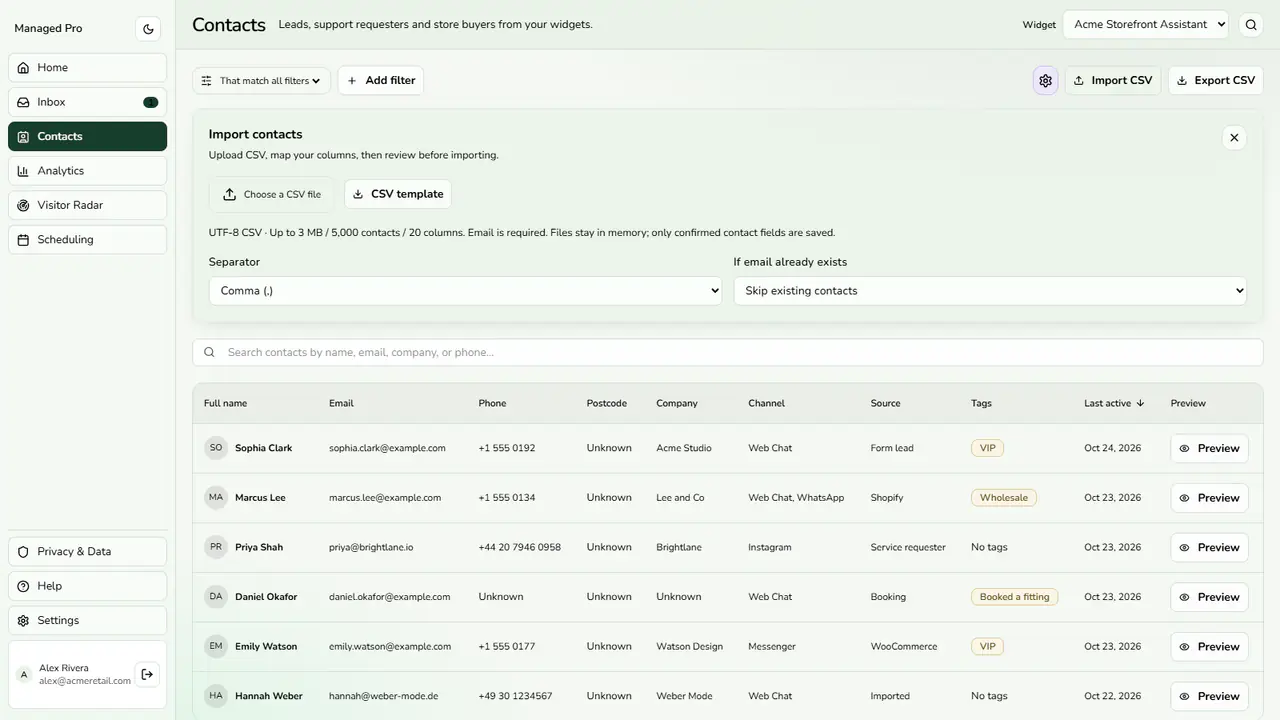
CSV import panel.
Contact Import & Directory
Configuration & Options
- Import CSV maps your columns, lets you pick a separator, and chooses what to do if an email already exists. Email is required. A CSV template is provided.
- Add filter narrows by name, city, postcode, email, phone, channel, source, created date and more; switch between matching all or any filter.
- Preview opens the full profile, where tags are added or removed. Tags are manual or automatic.
- Export CSV downloads the directory when your role allows it.