On this page
Dark Mode & Appearance
Appearance • Section 1.3
Eye-friendly dark mode workspace engineered for high-volume support shifts and low-light environments.
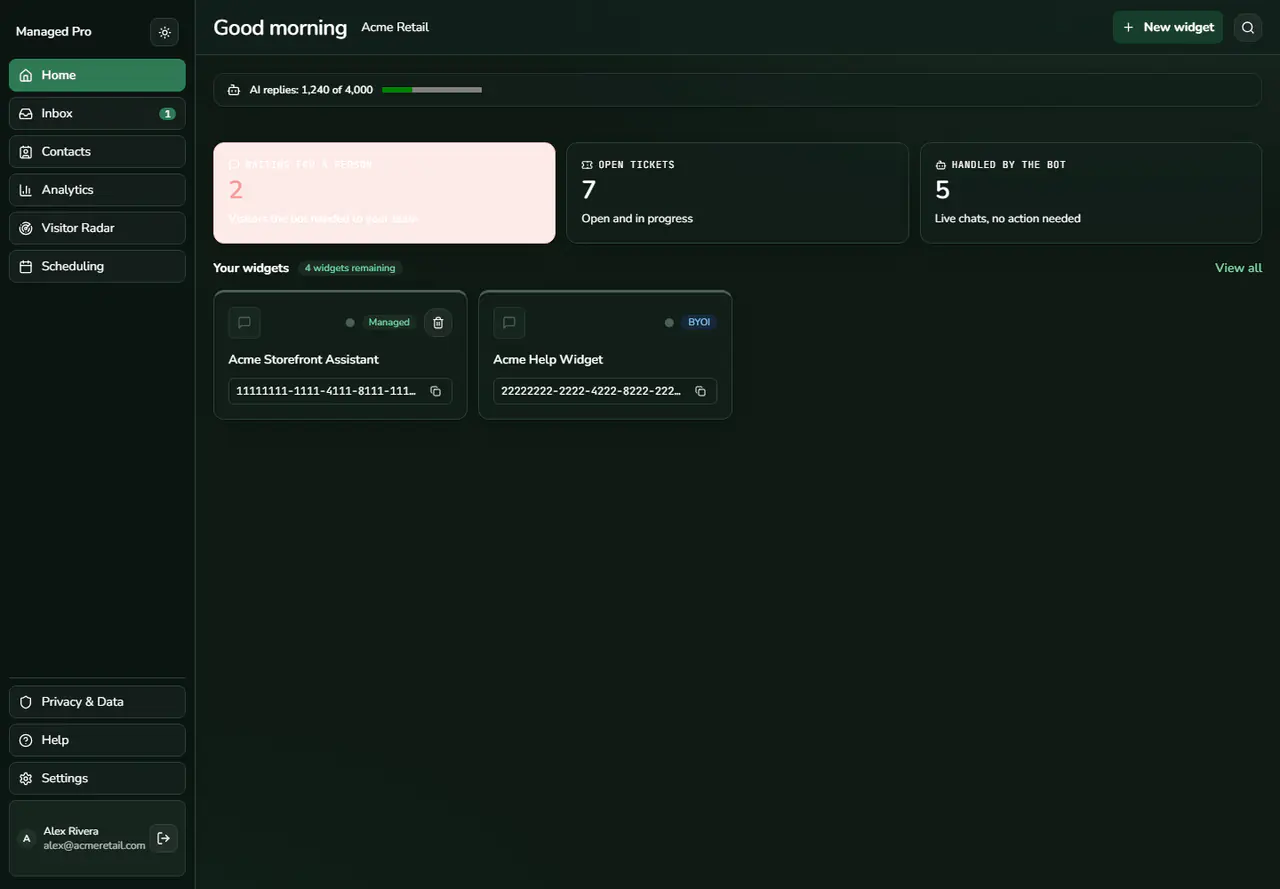
Dark mode dashboard.
High-Contrast Emerald Dark Theme
Switch the entire dashboard to high-contrast emerald and slate tones for reduced eye strain.
High-Contrast Emerald Dark Theme
Toggle the Dark Mode button in the left sidebar to switch the entire dashboard to high-contrast emerald and slate tones, engineered for reduced eye strain during extended support operations.