On this page
Account Deletion & GDPR Privacy
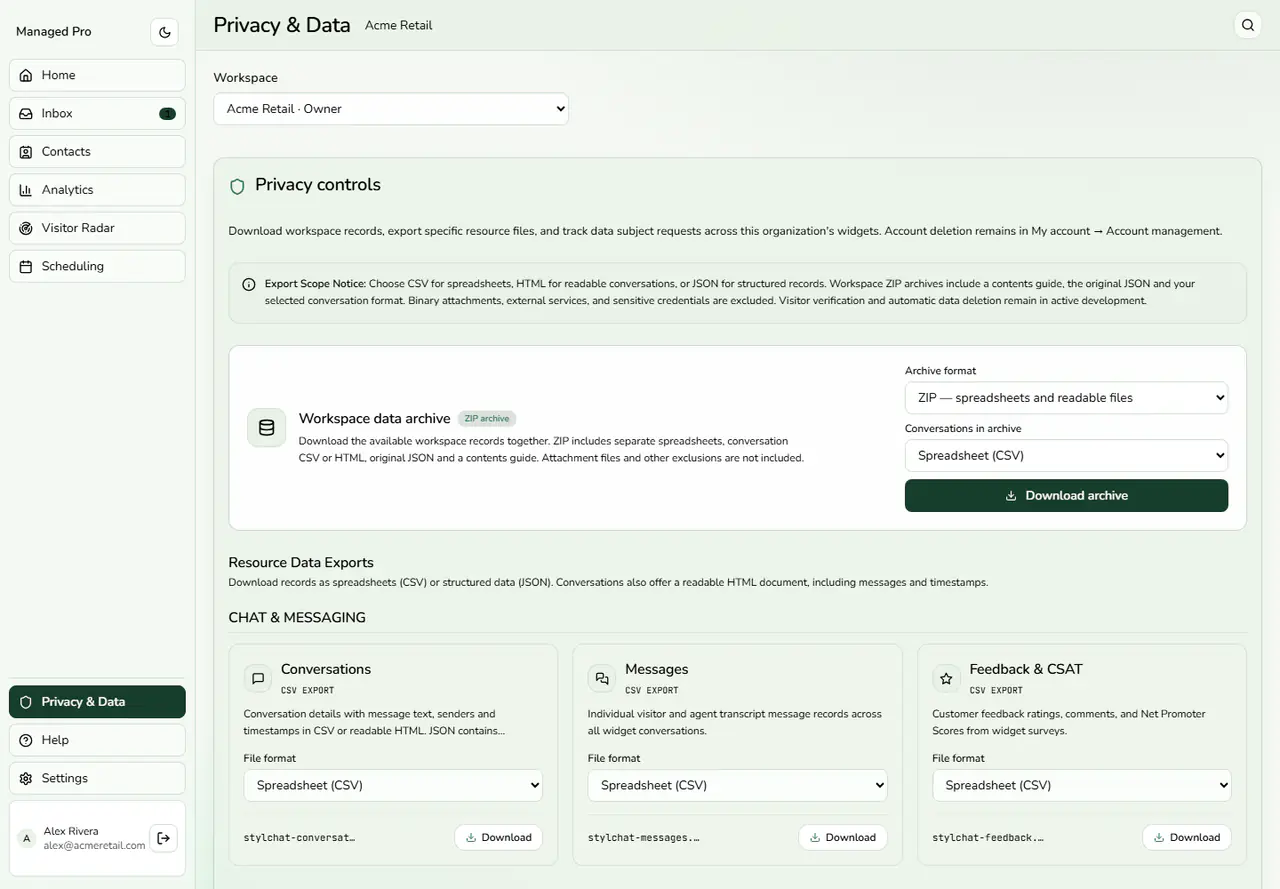
We respect your statutory right to data erasure under GDPR (Article 17 “Right to be Forgotten”), CCPA, and global privacy frameworks. This guide details how workspace owners and team agents permanently delete their accounts, what data is purged, and how to request assistance.
1. Workspace Owners Deletion Procedure
Workspace owners have sole authority to initiate immediate, permanent deletion of their account and all associated resources:
-
In the Stylchat Mobile App (Stylchat Live): Open Settings → Delete account.
-
In the Web Dashboard: Navigate to Account → Account details → Account management → Delete account.
Read the confirmation prompt and confirm permanent deletion. Once confirmed, cascade automated deletion executes immediately across all database rows and stored files.
2. Team Agents Deletion Workflow
Team agents who are members of an organization workspace must submit an account deletion request for owner approval:
-
In the Stylchat Mobile App: Open Settings → Request account deletion.
-
In the Web Dashboard: Open Account → Account details → Request account deletion.
You may optionally include a reason for your request. You can cancel a pending deletion request at any time prior to owner action.
Owner Verification & OTP Approval: Your workspace owner reviews pending requests in Team settings (mobile) or Organization settings (web). To approve, the owner must type the agent’s verified email address and enter a six-digit verification code emailed directly to the owner’s address. The agent receives an email confirmation when the login is deleted or if the request is declined.
Multi-Team Note: If your login belongs to multiple teams or owns a separate workspace, approval removes only your membership in this workspace and preserves your login for your other workspaces. Removing a team member from a workspace is distinct from deleting their global login credentials.
3. What is Deleted vs What Stays
-
Owner Account Deletion: Permanently removes the owner profile, all widgets created under the account, conversation transcripts, customer leads, vector embeddings, uploaded files in Cloudflare R2, and all stored configurations.
-
Team Agent Deletion: Permanently removes that agent’s login credentials and personal profile. Workspace chat transcripts and support tickets remain with the workspace owner and continue to follow the workspace’s configured 180-day retention schedule.
-
Tax & Accounting Records: Legally required transaction invoices and Stripe purchase confirmation tokens are retained by Trailops LLC solely for tax compliance and accounting audits.
Messaging data
You do not need a Stylchat account to request deletion of customer-support messages processed through a connected messaging channel. Contact the business you messaged, or email privacy@stylchat.com with the subject “Delete my messaging data”. Include the platform, the business’s Page/account/number and the approximate date of the conversation. We will arrange appropriate verification with you and the business before acting. Do not send passwords, access tokens or one-time verification codes.
The business controls its customer-support records; Stylchat helps it carry out eligible verified requests. We respond to privacy requests within 30 days and explain any applicable exception or additional verification needed. This request concerns copies processed in Stylchat. To remove data held separately by Meta or Telegram, use that platform’s own privacy and deletion controls.
Business owners can disconnect a channel under Widget settings → Org Settings → Channels. Disconnecting stops new channel processing but does not itself erase earlier support history. Use a verified deletion request to request removal of that history.
4. Support Assistance & Unresponsive Owners
If your workspace owner does not respond to your deletion request, or if you cannot log in to your account:
Send an email to privacy@stylchat.com from your registered account email address with the subject line "Delete my account". Include your account email and workspace name. Our compliance desk will verify your identity and complete eligible data erasure requests within 30 days.
For more details on data retention periods, see our Privacy Policy or visit the Help Center.